AI - Image Generation
Even now, in 2026, image-generation AI keeps advancing fast. So honestly I don't know how long the approach I'm writing here will stay valid. Still, as of right now, this is the method I settled on for using AI to mass-produce the images best suited to my project, consistently.
Here's the core idea. I split the work across two separate AIs.
File-storing AI
- Remembers the design style
- Learns the prompt grammar
- Keeps the shared prompts
Image-generation AI
- Outputs the actual picture
One side is the AI that remembers and assembles, the other is the AI that draws. For the memory AI I used Claude Code, and for the image-generation AI I used Nano Banana, GPT, and Midjourney.
1. Teach it the design style
One of Claude Code's biggest strengths is that it can save what it worked on and pick up again from that point next time. I wanted to leverage that ability as much as possible when generating images too.
So the first thing I did was have it organize and remember the design style I'd use for the game. I handed Claude the entire process, from reference analysis to saving it as a .md file, and I only checked the results and judged whether the direction was right.
For example, Rise From Ashes is fundamentally a dark-fantasy black-and-white manga style. Getting Claude to clearly internalize this feel first is the starting point. Once that's locked in, every prompt afterward is built on top of the same worldview.
1-1. Seed image analysis
You can take this one step further. Pick a few images that could serve as seeds, analyze their characteristics, and write them up into a .md file. Later, when you want a similar feel, having it reference that file gives the AI a far more concrete standard than simply describing the style in words. This too is, in the end, another way of "teaching it the design style." At this stage I also had it analyze the original art of the dark-fantasy manga that was the actual motif.
2. Teach it how to write tool-specific prompts
The prompt grammar that works well differs from tool to tool. So I had it search the internet for the official prompt guide of the generation AI I planned to use, or for effective writing techniques specialized for that AI.
Then I had it distill just the parts my project needed into a .md file, and I made a rule that whenever I use that AI, it reads the file first before writing the prompt. With this in place, there's no need to remember the tool's quirks or look them up again every time. The prompt always comes out optimized for that AI. This effect was especially pronounced with GPT: prompts produced this way kept outputting the same consistent result every time, despite the randomness inherent to AI.
3. Generate the shared prompt first
Even within a single project, there are times when you need to produce different design groups, like skill icons or background illustrations. For each group, I had it write a shared prompt first.
I generate an image with that shared prompt, then check whether it matches the picture I want. If the direction is right, that's when mass production begins.
At this stage the prompt has the following structure.
Shared design prompt + shape prompt
The shared part fixes the style, and only the shape part changes per icon. This way the style stays consistent even across dozens of images. What matters is that an entire group looks like it was drawn by one person, and this structure guarantees exactly that.
Summary
In the end, there are three things to lock in ahead of time.
- Remembers the design style [the project's identity]
- Learns the prompt grammar [each AI's quirks]
- Keeps the shared prompts [consistency across a set]
Because these three are saved as files and referenced automatically every time I work, the same quality comes out in the same style every time. And the more .md files pile up, the less I have to explain things again, so development speed keeps accelerating. It felt like a genuinely powerful approach to AI-assisted development.
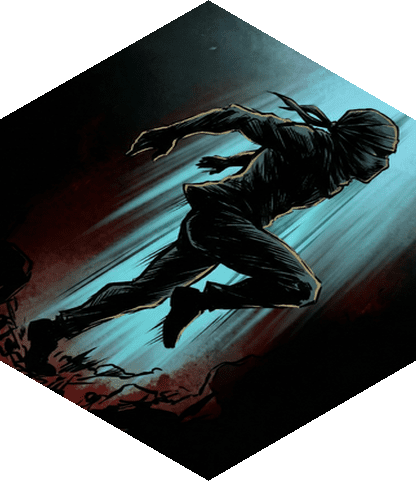
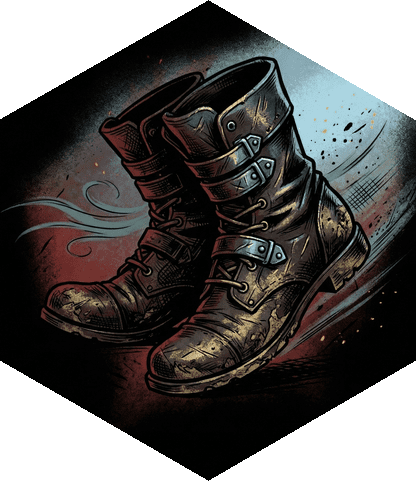
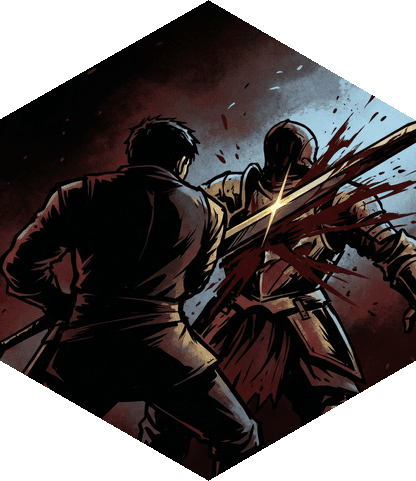
Below are actual results produced with the method above. They are mastery icons mass-produced by changing only the shape part on top of the same shared prompt, generated using Nano Banana. All three keep a consistent black-and-white manga texture, as if drawn by one person.
Comments